
Open DXF files online
Check any DXF file in your browser before you cut, print or send it. ASCII and binary DXF, with layers, zoom and coordinates.
- Formats
- DWG, DXF (ASCII and binary)
- DWG versions
- AutoCAD 2000 to 2018+
- File size
- Up to 50 MB
- Account
- Not needed to view
Files you open are processed on our servers and kept private. Privacy
View DXF drawings, free
DXF is the go-to format for moving drawings between programs: from CAD to a laser cutter, from an architect to a consultant, from a design tool to a CNC router. The trouble is that the program that made the file is often not the one you have.
This viewer opens DXF files from AutoCAD, SmartCAD 2D, LibreCAD, QCAD, Fusion, SolidWorks, Inkscape, Illustrator and other tools. It shows lines, arcs, circles, polylines, splines, text, hatches and blocks on their original layers.
Good for
- Checking a cut file’s shapes and size before sending it to a laser or CNC machine
- Reviewing drawings from clients and suppliers on any computer
- Opening DXF attachments on your phone
What you can do in the viewer
The file is read on our servers and streamed to your browser as vector linework, so it stays sharp at any zoom.
Large drawings stay usable
Geometry streams in largest pieces first, and panning moves a cached frame, so plans with millions of objects stay smooth.
Every layer, with its colour
Hide walls, furniture or annotations in the Layers panel to read one part of the drawing at a time.
Coordinates in drawing units
The X and Y under your cursor are shown in the drawing’s own units: millimetres, metres, inches or feet.
Phones and tablets
Pinch to zoom and drag to pan. The page works the same in Safari, Chrome, Edge and Firefox.
Private files
Files you open are kept private. Nothing appears in the library unless you share it yourself.
My files
Sign in to save a drawing and open it again later from another computer or your phone.
Edit and convert DXF files
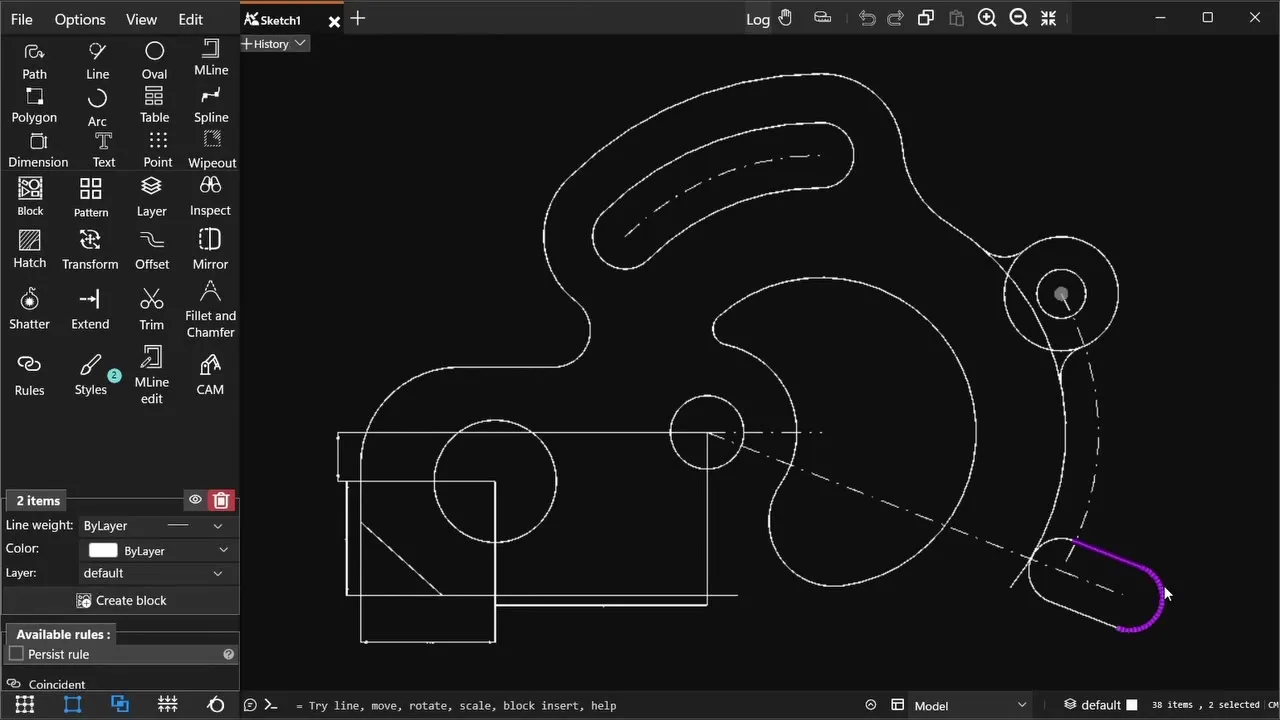
SmartCAD 2D is a 2D CAD app for Windows 10 and 11. It opens and saves DWG and DXF files, and has the tools to change them: drawing and editing, dimensions, hatches, blocks and constraints. It also exports PDF, SVG and PNG. The free plan covers the essentials.

Common questions
What is a DXF file?
DXF (Drawing Exchange Format) is an open format created by Autodesk so that CAD drawings can move between programs. Laser cutters, CNC routers, plasma tables and vinyl cutters commonly use DXF files.
What is the difference between DWG and DXF?
Both hold the same kind of drawing. DWG is a compact binary format tied to AutoCAD; DXF is a documented exchange format, usually plain text, that almost every CAD, CAM and design program can read.
Can I view binary DXF files?
Yes. Both ASCII (text) and binary DXF files open in the viewer.
Can I check a DXF before sending it to a laser cutter?
Yes. Open it here to check the geometry, layers and scale. The cursor coordinates help you confirm the overall size in the drawing’s units.
Are my files private?
Yes. Files you open are processed on our servers and stored privately. They are never published or shown to other people. Only you can share a file, by choosing to publish it to the library.
Can I edit the drawing?
The web viewer is for viewing. To edit, measure, dimension or export a drawing, open it in SmartCAD 2D for Windows, which reads and writes DWG and DXF and has a free plan.